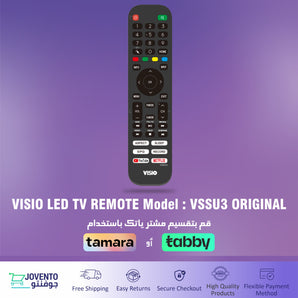
Shop original VISIO TV remote controls, batteries and practical electronics accessories in Saudi Arabia. Check the product details and model compatibility carefully before ordering.
Choose the correct VISIO remote control
Remote-control compatibility varies between television models and operating systems. Before ordering, compare the model number listed on the accessory page with the model number of your television.
Do not select a remote based only on its appearance or button layout. Remotes that look similar may use different functions, software or connection methods.
Find your television model number
The TV model number is normally printed on the product label at the back of the television and may also appear on the original packaging, invoice or user manual. Use the complete model number when checking compatibility.
Will one VISIO remote work with every VISIO television?
Not necessarily. Compatibility depends on the television model, operating system and remote-control functions. Confirm the supported model information shown on the product page.
Can I choose a remote by comparing its appearance?
No. Similar-looking remote controls may not be compatible. Always use the television model number and the compatibility information provided on the accessory page.
Where can I find my TV model number?
Check the product label at the back of the television. The model number may also be listed on the box, invoice or user manual.
What should I do if my model is not listed?
Do not place the order until compatibility is confirmed. Contact Jovento Customer Support and provide the complete television model number.
Subscribe to our newsletterBe first to know about offers and new products